
Sliding 15 Puzzle With Your Own Image
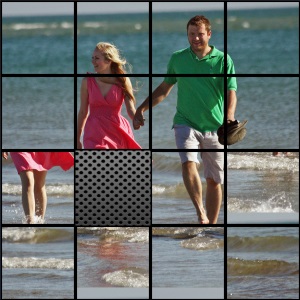
Turn your favorite photo or picture into a custom sliding 15 puzzle! Simply enter an image URL, customize the puzzle settings, and challenge your friends to put the scrambled pieces back in order. The puzzle works on desktop computers, tablets, and mobile devices.
Looking for the latest version? Try our new Sliding 15 Puzzle Simulator for an improved experience. We've kept this original puzzle generator available so that existing websites using the embedded widget continue to work without interruption.
How to Create Your Own Sliding Puzzle
Start by choosing an image you'd like to turn into a puzzle. You can use any publicly accessible image URL. Square images work best, ideally measuring 540 × 540 pixels, although other sizes and proportions are supported through the options described below.
Scale Image
If your image isn't exactly 540 × 540 pixels, enable the Scale image option to resize it to the width of the puzzle area. Without scaling, images larger than the puzzle are cropped, showing only the upper-left portion.
For landscape images, scaling the image to the puzzle's width may leave some empty space at the bottom. You can use the Repeat the image option to fill the remaining area by repeating the picture.
Animated Scramble
The puzzle starts in a scrambled state by default, ready for you to solve. Enable Animated scramble if you'd prefer to show the completed picture first. Once the page loads, the tiles will shuffle through an animation, giving players a chance to study the original image before attempting the challenge.
Numbered Tiles
Enable Numbered tiles to display numbers on the puzzle pieces. Each tile is numbered according to its correct position, starting from the upper-left corner of the completed puzzle. This makes it easier to identify where each piece belongs, especially when working with detailed