Rubik's Cube Widgets and Plugins
 Almost every Rubik's Program you can find on this website are collected here so you can embed them in your website, portal, facebook profile or anywhere you want. Feel free to use these plugins, they are all free, the only thing I'm asking you to leave the Ruwix logo leading to this website visible so others can find this website. If you have any suggestion how could I improve or you have a new widget idea please share with me. Any special request is welcome.
You don't have to worry about the updates, every necessary modification will be online automatically.
Technical background
It's really simple to embed these Rubik's Cube widgets, just choose the appropriate size for you and embed in your HTML the code you find on the plugin's page. It's really simple, you don't have to include any functions it's up and running in a matter of a second.
You can find the plugins in a variety of sizes fitting PC monitors, facebook pages (500 px), and mobile devices (300 px). You can use whichever you want.
The widgets use HTML, CSS, JavaScript and jQuery. Almost every browsers and mobile devices can handle these and you don't have to install any extension like flash player or Java.
The programs were tested with all major web browsers and mobile devices.
How to Embed a Widget
Every widget runs in an iframe, a small window inside your page. Copy the code from the widget's page and paste it into the HTML of your website, blog post or forum signature where you want the widget to appear. For example, this is the code of the small scramble generator:
<iframe height="38" width="365" scrolling="no" frameborder="0" src="https://ruwix.com/widget/scrambler-m/"></iframe>
- WordPress: add a Custom HTML block and paste the code.
- Blogger, Wix, Squarespace: use the Embed or HTML element of the page editor.
- Size: keep the width and height from the code, or the widget may be cut off. Pick the smaller versions for narrow sidebars and phones.
Rubik's Cube Solver Widget
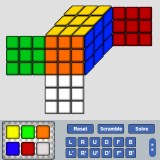 The most popular one: the same program as our online Rubik's Cube solver, packed into a widget. Your visitors can paint the colors of their scrambled cube, press Solve and follow the solution step by step on a 2D or 3D cube.
| Version | Size (px) | Best for |
| Solver XXL | 635 × 756 | Wide content area |
| Solver Large | 500 × 747 | Blog posts |
| Solver Landscape | 600 × 250 | Low, wide space |
| Solver Mobile | 300 × 490 | Phones and sidebars |
Rubik's Cube Timer Widget
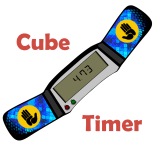 A speedcubing stopwatch based on our online Rubik's Cube timer. Start and stop it with the space bar and practice your solves right on your own website. If you need a simple stopwatch without the cubing features, use the Online Stopwatch version.
| Version | Size (px) | Best for |
| Timer XXL | 587 × 695 | Wide content area |
| Timer XL | 580 × 632 | Blog posts |
| Timer Large | 450 × 571 | Narrow content area |
| Timer Mobile | 300 × 352 | Phones and sidebars |
| Online Stopwatch | 300 × 300 | Any page, optimized for mobile devices |
Scramble Generator Widget
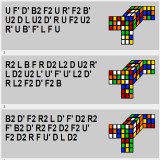 Random scrambles for practice or for your own competition, from the Rubik's Cube scramble generator. Select the scramble length and the size of the cube, then press the Scramble button.
| Version | Size (px) | Best for |
| Scrambler XL | 620 × 130 | Longer scrambles, bigger cubes |
| Simple Scrambler | 365 × 38 | A single line of moves |
Rubik's Cube Notation Widget
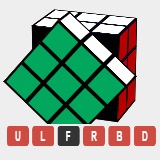 A small reference card of the Rubik's Cube notation: face turns, middle layer turns and rotations of the whole cube. Hover the letters to see the moves animated. It's perfect next to your own tutorials, so your readers don't have to look up the moves elsewhere.
- Notation widget: 468 × 244 px
- 3D notation widget: every move including double layer turns and slice moves, shown on a 3D cube
Interactive 3D Cube Widget
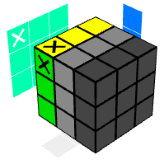 Show any algorithm on an animated 3D Rubik's Cube. The 3D cube generator builds the code for you: type the algorithm, set the starting position, the colors, the speed and a label, and copy the iframe code. Your visitors can play the moves, step through them and rotate the cube with the mouse. It's the best way to present an algorithm or a pattern on your website.
More Tools
- SVG cube generator: draws a picture of a Rubik's Cube with any colors, handy for illustrating patterns and tutorials.
- Rubik's Cube quiz: test how much you know about the cube and its history.
- Twisty puzzle sticker calculator: counts the stickers of any cube or puzzle.
Looking for the full-size programs? Check out all Rubik's Cube programs or the widget overview.
Do not hesitate to contact me if you have any further questions, and please report if you find any bugs in any of the applications.